
Swipe your camera roll clean.
Keepworthy deals the photos you haven’t looked at in years as cards. Swipe right to keep, left to bin. Nothing is deleted until you say so.
 Coming soon to the App Store
Free, with no swipe limits. Pro is $19.99 once or $14.99 a year.
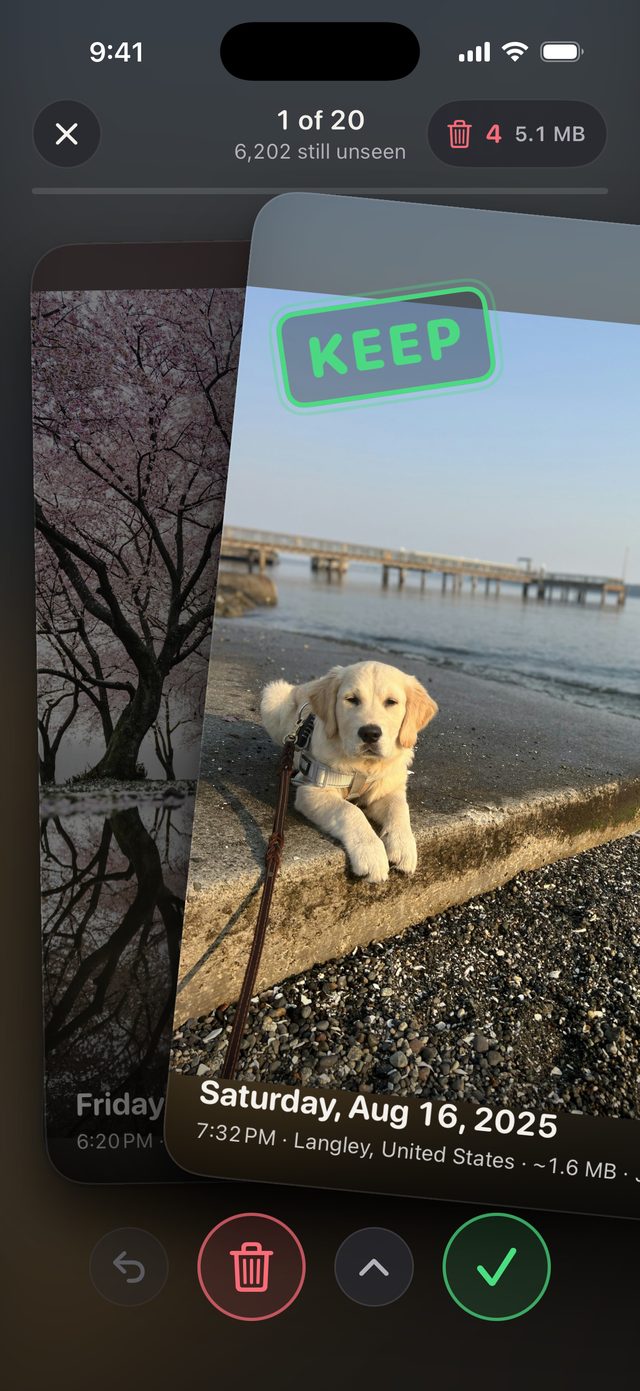
Twenty cards at a time. No scrolling, no guilt.
Most of a photo library is the middle nobody ever scrolls back to. Keepworthy brings it to you a few cards at a time.
Deal
Get 20 or 50 random photos and videos you haven’t judged yet, from anywhere in your library.
Swipe
Right to keep, left to bin. Swipe up to see when and where a photo was taken, and the shots around it.
Empty the bin
Rescue anything you change your mind about. Emptying asks iOS first, and deleted photos wait 30 days in Recently Deleted.
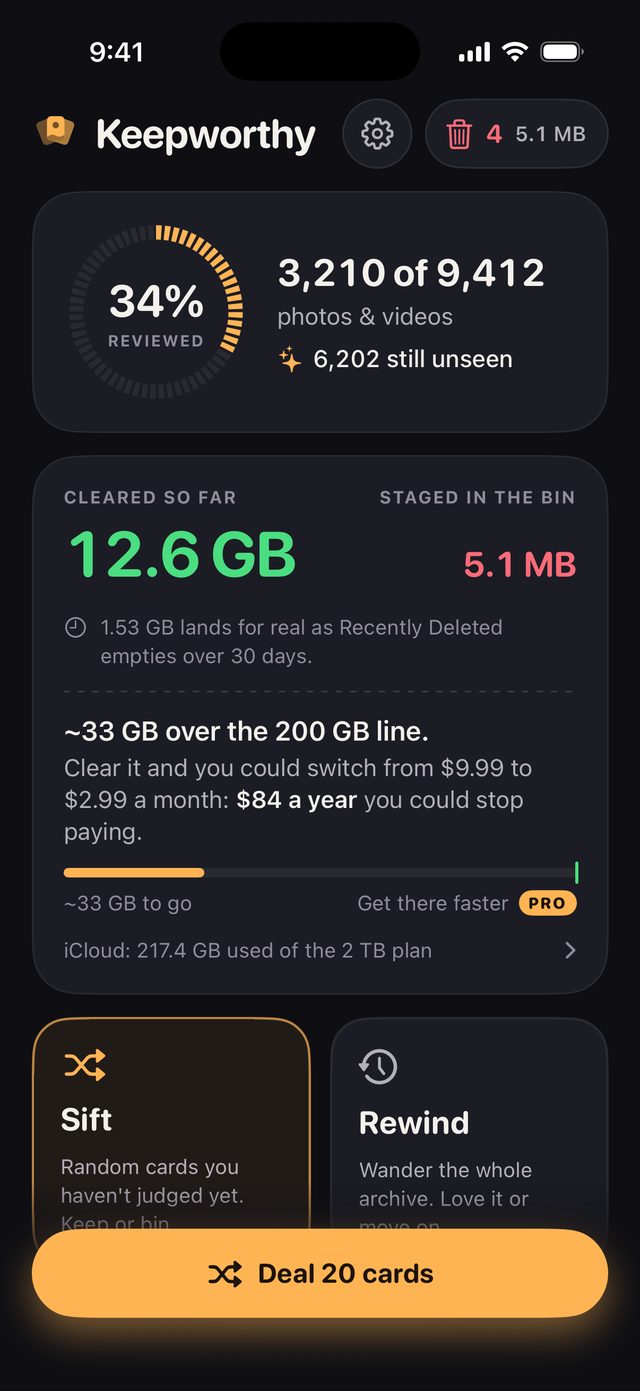
See the space come back.
Every photo you bin counts toward the next cheaper iCloud+ plan. Tell Keepworthy which plan you’re on and it shows how far you are from dropping a tier, and what that would save you in a year.
It never shows a dollar figure without your plan.
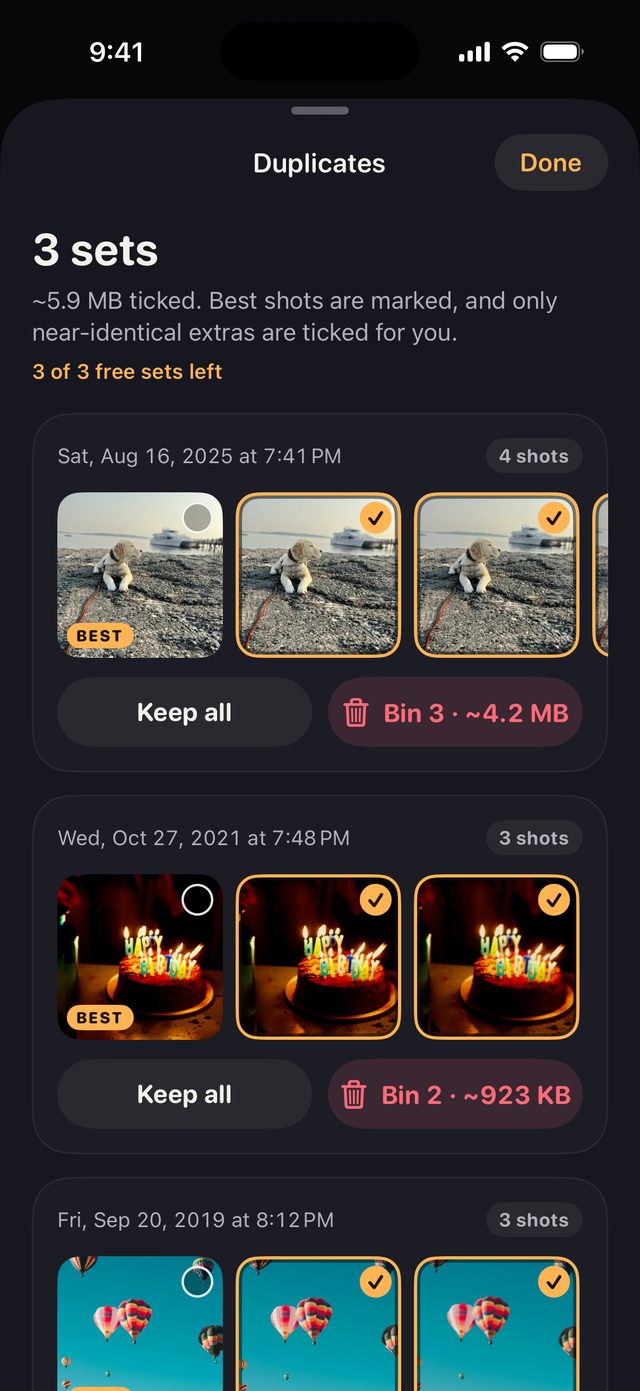
Near-duplicates, sorted. PRO
Keepworthy finds shots taken moments apart that look alike, marks the best one, and bins the rest in one tap. It all happens on your iPhone; nothing is uploaded.
Scanning is free, and so is binning from your first 3 sets.
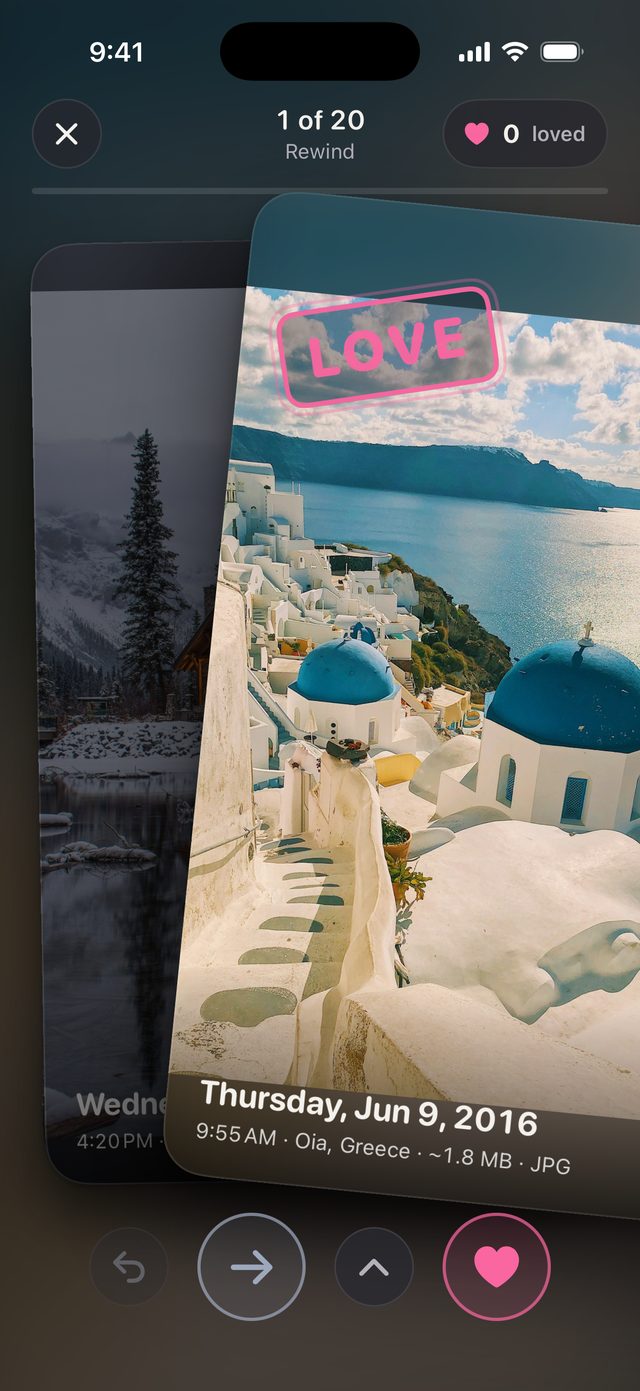
Fall for old photos again.
Rewind deals from your whole archive, years back. Love a photo and it’s added to your Favorites. Turn on On this day for memories from today’s date in earlier years.
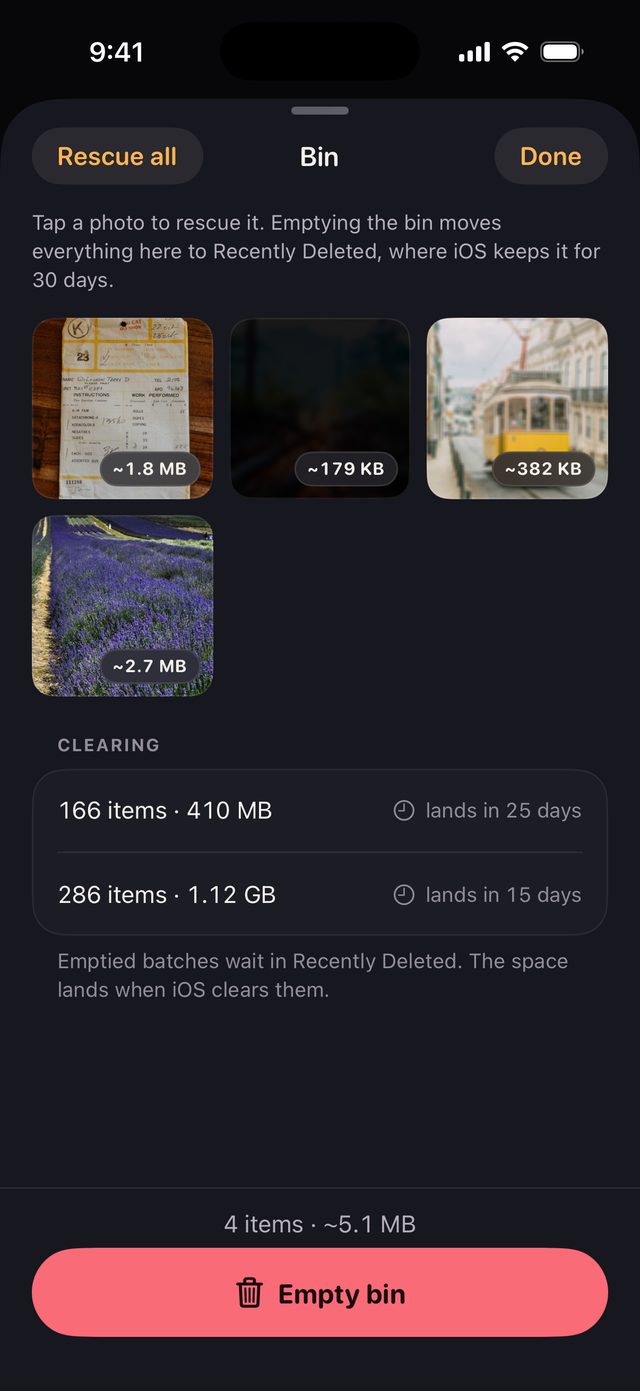
Nothing goes until you say so.
Swiping left only puts a photo in Keepworthy’s bin. Empty it when you’re ready, and iOS asks you to confirm. Keepworthy shows the day that space really comes back, and can tell you when it does.
Free to use. Pay once if you want more.
Most photo cleaners charge by the week. Keepworthy’s core is free with no caps, and Pro is a single purchase.
Free
$0, with no daily limits, timers or ads
- Unlimited swiping in 20- and 50-card decks
- Rewind and On this day
- The bin, rescue, and the day your space comes back
- Photo details: date, place, map and the shots around it
- Space tracking toward a cheaper iCloud+ plan
Keepworthy Pro PRO
$19.99 once, or $14.99 a year
- Heavy Hitters: your biggest files first, so every swipe frees more space
- Duplicate finder: bin the extras from every set
- Home Screen widget with Keep and Bin
- Endless decks past 50 cards
- Year and album filters
No weekly plan, and no free trial that turns into a charge. US prices; the App Store shows yours.
Your photos stay on your iPhone.
Keepworthy has no account and no server, so your photos and your choices stay on your phone. A photo leaves only when you send it to someone yourself, and without its location. Place names and maps come from Apple. The privacy policy has the details.